WaterBot

WaterBot is an all-in-one software for creating, managing, and hosting your very own AI Discord bots

About

WaterBot is an all-in-one software for creating, managing, and hosting your very own AI Discord bots. Whether you want a fun chatbot to spice up your server, a helpful assistant to help your community, or a specialized AI tool for a specific task, WaterBot makes it simple to bring your idea to life without needing to code.

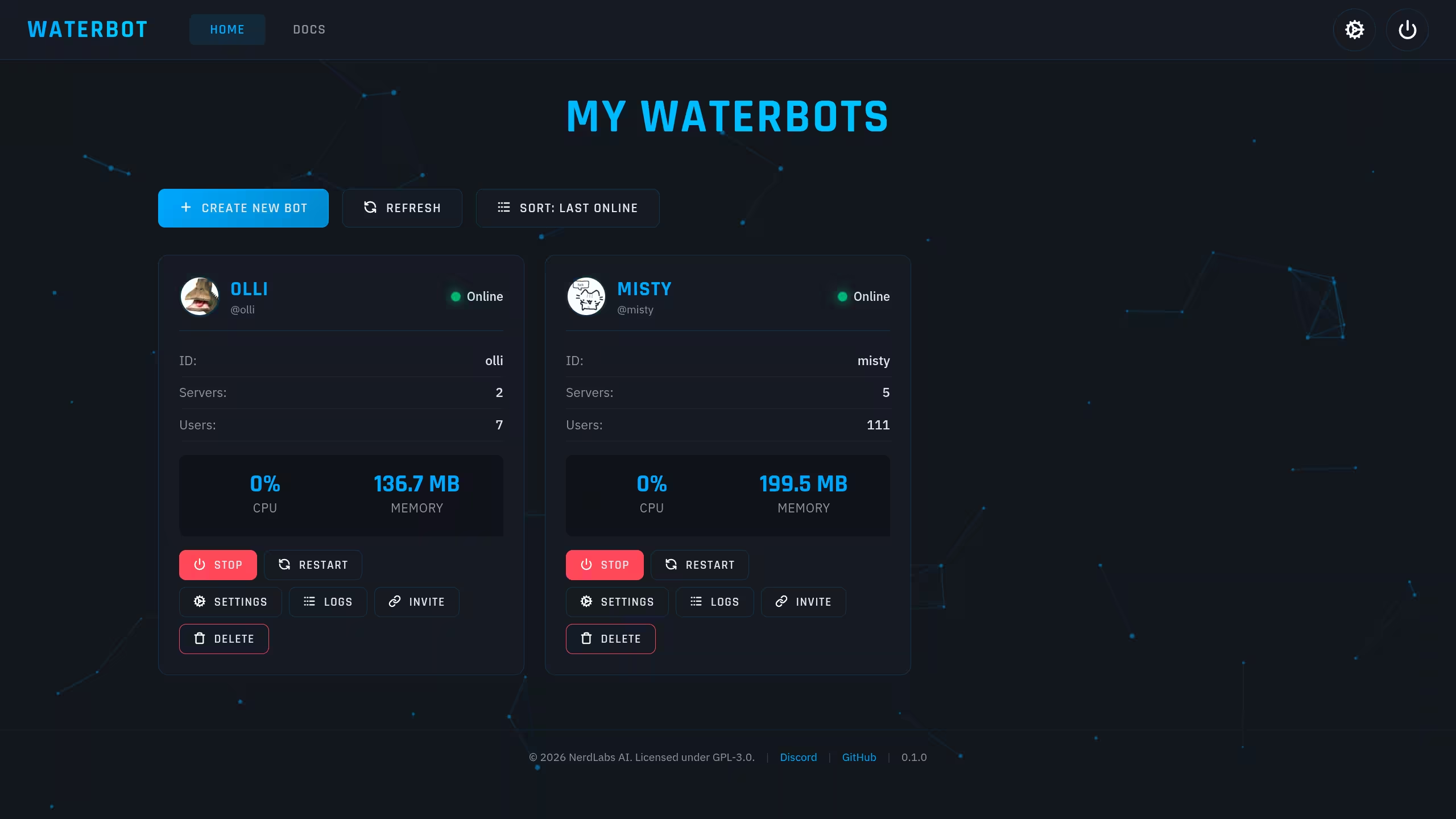
User-Friendly Design WaterBot is designed with ease of use in mind. The clean, modern interface makes creating and managing bots easy, even if you don't know how to code. The dashboard provides quick access to bot status, start/stop controls, logs, statistics, and settings.
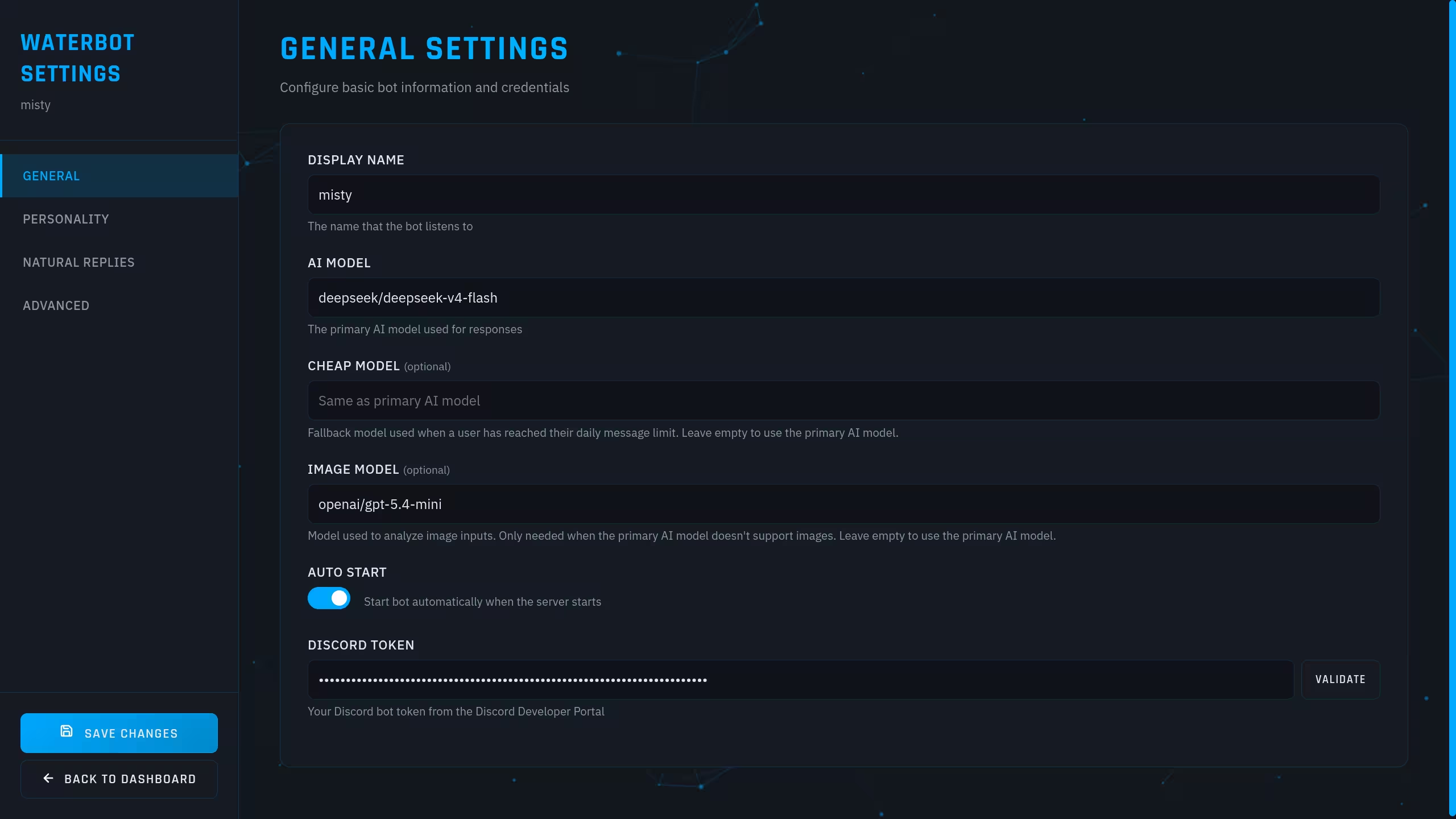
Great Customizability You can tweak everything from the system prompt and personality to advanced memory and behavior settings.
Multiple AI Providers WaterBot currently supports OpenAI, OpenRouter, and Ollama for local AI hosting, with more providers on the way.
Local & Secure WaterBot runs entirely on your devices, whether it’s your personal computer or a powerful server. This means you’re not depending on external servers, and your important information stays safe on your own hardware.
Performance Monitoring Keep an eye on CPU usage, memory usage, engagement metrics, growth statistics, and overall system status directly from the dashboard. Detailed logs also make debugging easy.
Many Use Cases Use them for casual chatting, productivity tools, customer support, private assistants, server utilities, or fully custom AI experiences for a specific purpose.

Screenshots

Bot manager dashboard
Main Dashboard Overview of all your bots with status indicators and quick controls
Bot settings
Bot Settings Per-bot configuration: AI model, system prompt, advanced settings, and more
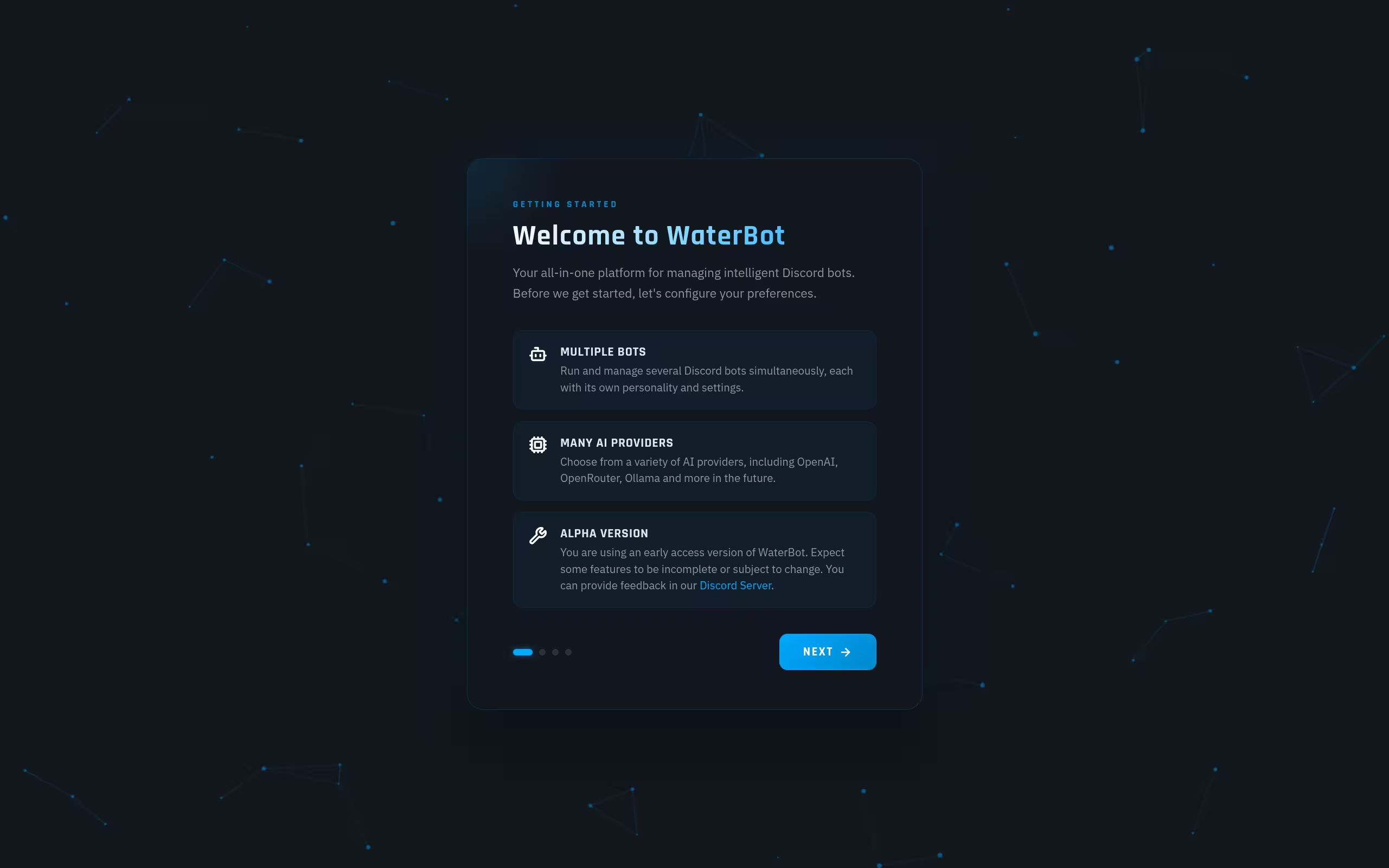
Onboarding screen
Onboarding Simple setup process with guided onboarding to get you started quickly
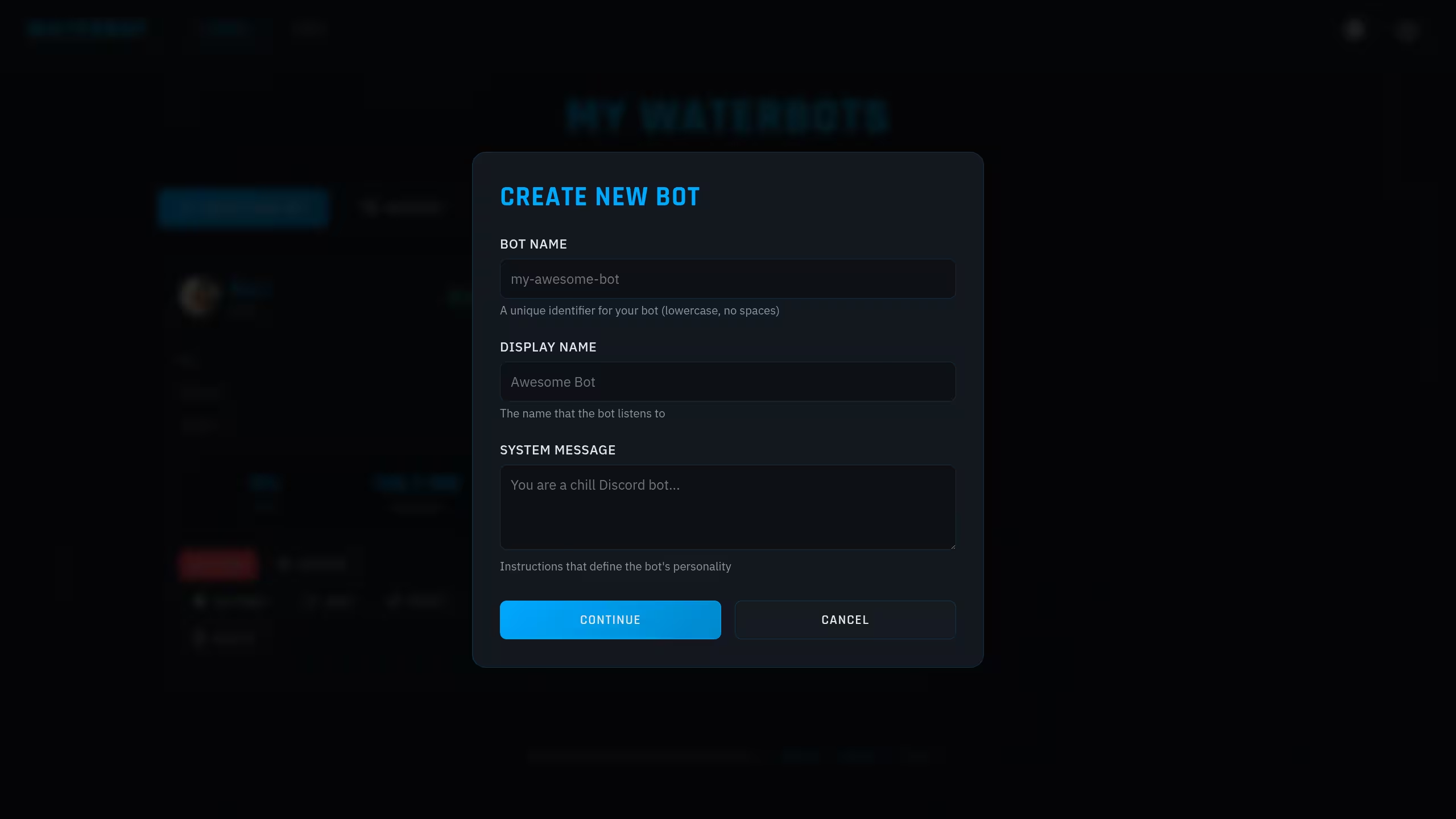
Bot creation screen
Bot Creation Create new bots in seconds with the simple bot creation interface

Installation

1
Clone the repository
git clone https://github.com/Nerdlabs-AI-DC/WaterBot.git cd WaterBot
2
Install dependencies
chmod +x install.sh ./install.sh
3
Start WaterBot
waterbot
// Usage

Once WaterBot is running, open the URL provided in the terminal to start the setup.
After completing the setup, you can create your first bot by pressing the big Create New Bot button.


Note: Make sure that you have Python 3.10+ installed along with pip and venv. Any Linux distro should work, although not all distros have been tested. Operating systems other than Linux are currently not supported.